Switching from OptionNET Explorer to Stratsigma.
Bring your entire trade history. Start with a 14-day free trial, no credit card.
Why people switch.
Most traders move to Stratsigma for one of three reasons:
Platform freedom.
Stratsigma runs in any modern browser, on any computer. No Windows desktop application required. Connects to Interactive Brokers or Tradier.
Real broker integration.
Continuous bidirectional sync with Interactive Brokers and Tradier, not just one-way imports. Your trade log stays in sync with your broker, automatically. Multi-leg fills auto-detected. Every execution tagged with its source.
Trade-attribution analytics.
A Statistics page that answers questions others cannot. Multi-line equity curves segmented by Campaign, Setup, or Strategy Type or any other dimension. Expectancy by group. Day-of-week and hour-of-day cohort analysis. Twelve group-by dimensions with two-level pivot tables.
You keep the familiar layout you already know. But now, you get broker auto-sync, robust trade management and analytics - all in a modern, very responsive web application.
Your data comes with you.
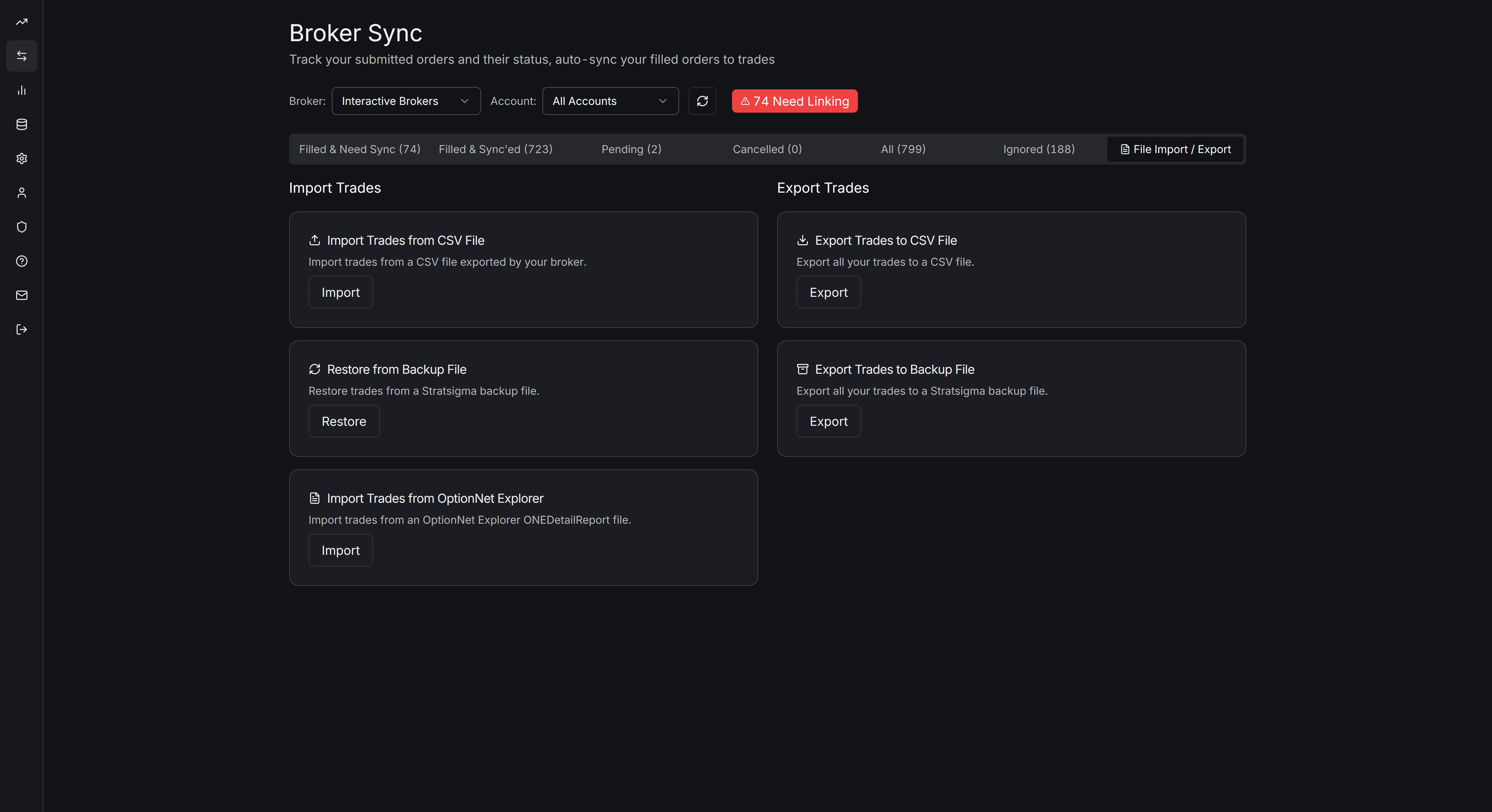
Stratsigma imports your OptionNet Explorer trade log directly. In OptionNet Explorer, from the Reports tab, click Export to export a ONEDetailReport file, which will have a .csv file extension. Inside Stratsigma, navigate to Broker Sync, select File Import/Export on the menu bar, click the ONE Import File button, and select the ONEDetailReport file. Stratsigma takes care of the rest.
Your imported trade history is available during the trial and on all paid subscriptions. Market data backfill (historical options pricing for analysis) is a paid feature.
You can export your data to CSV at any time. The data you bring is yours, and the data you create in Stratsigma is yours.
Pricing.
$49 / month or $499 / year (~$41.58/month).
Start with a 14-day free trial: full access and your complete imported history. No credit card.
Stratsigma's annual subscription costs less than ONE's, on a web-native product that runs anywhere.
The migration steps.
Sign up
Create a Stratsigma free account at stratsigma.com.
Export your trade log
Export your trade log from ONE.
Import
Import the file into Stratsigma.
Connect your broker
Connect IBKR or Tradier for ongoing sync. Optional. Your imported history works without a live broker connection.
Verify your trades
Stratsigma maps ONE's data structure to its own and flags anything that needs review.
If you have questions during setup, email support@stratsigma.com. Replies usually within a few hours.
Frequently asked questions.
Ready to switch?
Start with a 14-day free trial. Your full ONE history imports on signup. No credit card.